Online or onsite, instructor-led live Graphic Design training courses demonstrate through interactive hands-on practice the fundamentals and advanced topics of Graphic Design.
Graphic Design training is available as "online live training" or "onsite live training". Online live training (aka "remote live training") is carried out by way of an interactive, remote desktop. Panama City onsite live Graphic Design trainings can be carried out locally on customer premises or in NobleProg corporate training centers.
NobleProg -- Your Local Training Provider
Panama City - Torres de Las Americas A
15the Floor, Torre A, Torre de las Américas, Panama City, panama
This center is located on the 15th floor of the spectacular Torre de Las Americas A - one of two impressive towers shaped like yacht sails in the thriving business district. The towers, with their distinctive reflective glass, are on Punta Pacifica with easy access to the Corredor Sur. The center is a short taxi drive from Tocumen International Airport.

Panama City - Financial Park Tower
Financial Park Tower, Boulevard Costa del Este, Panama City, panama
Strategically located in the prestigious area of Costa del Este in the corporate building of the Financial Park, it is surrounded by nature and urbanism with magnificent ocean views. This emblematic contemporary building has 45 floors and is located at the corner of La Rotonda and the main avenues of Costa del Este.
Only 10 minutes from the international airport and 7 minutes from the financial center of Panama, close to restaurants, banks and shopping centers. The center's workspace gives you flexibility and helps you interact with other companies:
Private and shared office space fully furnished.
Unlimited access to high-speed Internet and Wi-Fi access, ideal to stay connected with your customers.
Abundant natural light and excellent views of the city.
Access to business rooms, when you are on the move.
Panama City - Oceania Business Plaza
Street Punta Colon Panama City, Panama City, Panama
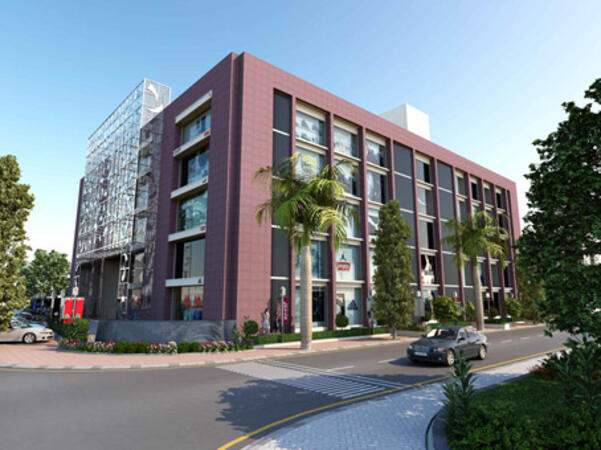
Establish your enterprise within Panama's premier locale. Nestled in a prestigious oceanfront enclave adjacent to the financial hub, Oceania Business Plaza offers a picturesque setting with convenient proximity to the city's prominent clientele.
Adobe Marketo Engage is a powerful platform for marketing automation and CRM integration that enables organizations to design, automate, and measure personalized marketing campaigns across channels. This course equips participants with the knowledge and hands-on skills to build intelligent workflows, segment audiences, leverage AI-driven personalization, and analyze campaign performance effectively.
This instructor-led, live training (online or onsite) is aimed at beginner-level to intermediate-level participants who wish to strengthen their competencies in using Adobe Marketo Engage to plan, execute, and optimize omnichannel marketing campaigns for academic and commercial purposes.
By the end of this training, participants will be able to:
Navigate the Marketo Engage interface and understand its core automation functions.
Design and implement lead nurturing workflows and dynamic content campaigns.
Segment and manage audiences using smart lists and AI-driven insights.
Integrate CRM systems for seamless data synchronization and tracking.
Analyze performance metrics and apply optimization techniques based on campaign data.
Develop an end-to-end automated marketing project relevant to higher education.
Format of the Course
Theoretical presentation with real-world examples.
Hands-on demonstrations in a controlled lab environment.
Interactive exercises and a practical workshop project.
Final evaluation through presentation of a functional automated campaign.
Course Customization Options
To request a customized training for this course, please contact us to arrange.
Adobe Creative Cloud is a comprehensive suite of industry-standard tools for creative professionals, enabling high-quality design, multimedia production, and collaboration. This course provides faculty members with hands-on experience using Adobe’s core applications to design academic and institutional materials, enhancing creativity, innovation, and communication in the teaching–learning process.
This instructor-led, live training (online or onsite) is aimed at beginner-level to intermediate-level participants who wish to develop digital competencies in graphic design, multimedia editing, and academic content creation using Adobe Creative Cloud tools.
By the end of this training, participants will be able to:
Navigate the Adobe Creative Cloud ecosystem and manage files through the cloud.
Design and edit professional visual materials using Photoshop, Illustrator, and InDesign.
Create engaging video and motion graphics content with Premiere Pro and After Effects.
Produce and secure PDF documents using Adobe Acrobat Pro DC.
Leverage Adobe Express and Firefly for generative AI design and digital marketing assets.
Integrate Adobe tools to develop institutional and academic multimedia projects.
Format of the Course
Project-based learning with hands-on exercises.
Guided demonstrations using official Adobe software.
Practical assignments, partial evaluations, and a final integrative project.
Course Customization Options
To request a customized training for this course, please contact us to arrange.
Adobe Hyvä is a modern frontend framework for Magento 2 that replaces the Luma stack with a performance-focused, developer-friendly architecture.
This instructor-led, live training (online or onsite) is aimed at intermediate-level to advanced-level Magento developers who wish to implement and customize Hyvä Themes in Adobe Commerce (Magento 2) projects.
By the end of this training, participants will be able to:
Understand the architecture and benefits of Hyvä Themes.
Install and configure a Hyvä-based Magento 2 store.
Customize templates, styles, and layout using Alpine.js and Tailwind CSS.
Integrate third-party modules and ensure compatibility with Hyvä.
Optimize performance and user experience with Hyvä's lean frontend stack.
Format of the Course
Interactive lecture and discussion
Hands-on exercises and labs
Live development environment implementation
Course Customization Options
To request a customized training for this course, please contact us to arrange.
Adobe Express is a user-friendly, cloud-based design tool that enables individuals and teams to quickly create high-quality graphics, videos, and branded content without advanced design experience.
This instructor-led, live training (online or onsite) is aimed at beginner-level users who wish to create visually appealing marketing assets, presentations, and social media content using Adobe Express.
By the end of this training, participants will be able to:
Navigate the Adobe Express interface and use templates effectively.
Create social media graphics, flyers, presentations, and short videos.
Apply branding elements such as colors, logos, and fonts consistently.
Collaborate and publish designs using Adobe Express's cloud features.
Format of the Course
Interactive lecture and discussion.
Lots of exercises and practice.
Hands-on implementation in a live-lab environment.
Course Customization Options
To request a customized training for this course, please contact us to arrange.
This instructor-led, live training in Panama City (online or onsite) is aimed at beginner-level to intermediate-level professionals who wish to optimize their document workflows using Adobe Acrobat and AI-powered tools.
By the end of this training, participants will be able to:
Create and edit PDF documents from various sources.
Modify PDF content, including text, images, and formatting.
Use annotation and markup tools for document review.
Implement security features to protect PDF documents.
Leverage AI-powered tools to automate PDF-related tasks.
This instructor-led, live training in Panama City (online or onsite) is aimed at beginner-level to intermediate-level graphic designers and animators who wish to learn how to create stunning animations, interactive media, and engaging web content using Adobe Animate.
By the end of this training, participants will be able to:
Navigate the Adobe Animate interface and tools.
Create and edit animations using keyframes, motion tweens, and shape tweens.
Design interactive animations and applications with ActionScript and JavaScript.
Incorporate audio and video elements into projects.
Export animations for web, video, and mobile platforms.
This instructor-led, live training in Panama City (online or onsite) is aimed at beginner-level content developers who wish to have a foundational understanding of Adobe After Effects, Adobe Premiere Pro, Adobe Illustrator, Adobe Animate, and Adobe Character Animator.
By the end of this training, participants will be able to:
Understand the core functions of each software tool in the Adobe Creative Suite.
Use tools and techniques in Adobe After Effects for motion graphics, Adobe Premiere Pro for video editing, Adobe Illustrator for graphic design, Adobe Animate for animations, and Adobe Character Animator for character animation.
Improve creative design and production capabilities, enabling faster and more efficient development of high-quality digital content.
This instructor-led, live training in Panama City (online or onsite) is aimed at beginner-level to advanced-level engineers and drafters who wish to use GD&T to create precise and standardized 2D drawings for engineering projects.
By the end of this training, participants will be able to:
Understand and apply GD&T symbols and concepts to 2D drawings.
Create clear and standardized technical drawings using GD&T principles.
Interpret and implement feedback based on GD&T annotations.
Collaborate effectively with teams using standardized GD&T notations.
Adobe Acrobat Reader for most of us is a program to play PDF files.
But, this application also allows you to submit PDF documents according to our needs and to replace other documents created in popular programs such as Microsoft Office, Word, Excel, Power Point is on this format.
Training Creating PDF documents is addressed to people who want to learn the secrets of the composition of PDF documents
Adobe After Effects Essentials is a 2 day training course which covers all of the basic skills needed to get up and running with Adobe After Effects. During the course you will learn to work with layers in After Effects, understand key framing, control animations, work transparency, and better understand rendering and output. By the end of the course you will be able to competently edit your video content using After Effects and applying best practice techniques.
The Adobe After Effects Essentials course covers all the basic skills needed in the post production of professional quality video content.
Experienced graphic and media designers who are already comfortable with core Adobe tools and want to strengthen advanced workflows, corporate report design, infographic creation, branding systems, and AI-assisted production.
Format of Training
Instructor-led sessions with structured explanations
Demonstrations followed by guided hands-on exercises
Practical work based on real corporate design scenarios
Individual and group feedback during exercises and project work
Course Objectives
By the end of this training course, participants will be able to:
Use advanced Adobe Creative Cloud features to work more efficiently across tools
Apply AI-powered capabilities in Photoshop, Illustrator, and InDesign to accelerate design tasks
Create high-quality visual assets for corporate reports and presentations
Design professional infographics aligned with brand and communication standards
Build consistent branding and layout systems across multiple deliverables
Automate report layouts and publishing workflows using InDesign
Apply AI responsibly while maintaining visual consistency and brand control
This instructor-led, live training in Panama City (online or onsite) is aimed at graphic designers and illustrators who wish to use the advanced tools in Adobe Illustrator to create professional and high-quality vector artwork, illustrations, and graphic designs.
By the end of this training, participants will be able to:
Learn more about the new and advanced features in Adobe Illustrator.
Know the tips and tricks on how to use the advanced Illustrator tools.
Redraw hand sketches into digital images.
Create professional grade graphics, logos, and animated GIFs.
This instructor-led, live training in Panama City (online or onsite) is aimed at advanced-level creative professionals who wish to use Adobe Creative Cloud to produce advanced branded graphics, professional video content, motion assets, and integrated digital media deliverables.
By the end of this training, participants will be able to: create advanced visual assets, edit and finish professional video, build motion graphics, and streamline workflows across Adobe applications.
This instructor-led, live training in Panama City (online or onsite) is aimed at intermediate-level creative professionals who wish to use Adobe Creative Cloud to create workplace-ready graphics, video content, and digital media assets.
By the end of this training, participants will be able to: create branded assets, edit professional video, produce basic motion graphics, and work more efficiently across Adobe applications.
The training provides practical knowledge on how to create an interactive eLearning platform. In addition to learning the basic concepts, students will also learn best practices for creating and publishing Captive projects . During the training you will learn:
Recording demonstration
Edit demonstration
Working with objects in the Timeline
Working with images
Publish your projects
Adding audio
Recording a Simulation
Adding animation
Add a slideshow
Transferring Results to a Learning Management System
This instructor-led, live training in Panama City (online or onsite) is aimed at beginner-level to intermediate-level graphic designers, marketing professionals, and publishing specialists who wish to use Adobe InDesign to create professional-quality books, brochures, posters, and marketing materials.
By the end of this training, participants will be able to:
Navigate the Adobe InDesign interface efficiently.
Set up projects with the correct dimensions and layouts.
Work with text, images, and graphics to create compelling designs.
Utilize styles, templates, and color palettes for consistency and efficiency.
Prepare files for professional printing or digital publishing.
Basic Tools and Features Participants will get familiar with Canva’s core tools: adding and formatting text, and working with images and graphics – the foundation for clear and attractive designs.
Creating Your First Project In a hands-on session, participants will create their first project, learning how to choose templates, adjust colors and fonts, and personalize designs with their own elements.
Advanced Design Techniques Participants will explore advanced features to create professional and unique projects, including gradients, infographics, diagrams, and photo editing (filters, cropping, color correction).
AI in Canva Participants will learn to leverage AI tools for automating tasks, generating graphics and text, and streamlining the design process, boosting both efficiency and quality.
This instructor-led, live training in Panama City (online or onsite) is aimed at anyone who wish to become a graphic designer.
By the end of this training, participants will be able to:
Understand basic design theory and apply useful design techniques.
Use Adobe Creative Cloud apps effectively including Photoshop, Illustrator and InDesign.
Learn about alternatives to Adobe Creative Cloud.
Get familiar with the latest design trends.
Read more...
Last Updated:
Testimonials (3)
What I liked most about the training was the technical color and video performance theory session. It helped me clearly understand the reasoning behind key production decisions, such as why specific frame rates are chosen for different types of videos and how particular color spaces impact visual quality and performance. Having this theoretical foundation made the technical concepts more meaningful and easier to apply in practical scenarios.
Jason Lee
Course - Adobe Creative Cloud (After Effects, Premiere Pro, Illustrator, Animate, and Character Animator) for Beginners
Marko was very knowledgeable, friendly and explained in a very clear way. He also brought so many use cases, examples from his broad experience and was super interactive with us.
Delia Roxana Isfan-Stan
Course - Adobe Acrobat: PDF Creation and Editing
I liked the part the most where we learn how to create objects.
Online Graphic Design training in Panama City, Graphic Design training courses in Panama City, Weekend Graphic Design courses in Panama City, Evening Graphic Design training in Panama City, Graphic Design instructor-led in Panama City, Graphic Design coaching in Panama City, Graphic Design boot camp in Panama City, Graphic Design private courses in Panama City, Graphic Design trainer in Panama City, Online Graphic Design training in Panama City, Graphic Design on-site in Panama City, Graphic Design one on one training in Panama City, Evening Graphic Design courses in Panama City, Weekend Graphic Design training in Panama City, Graphic Design instructor in Panama City, Graphic Design classes in Panama City, Graphic Design instructor-led in Panama City